/
A Work-Friendly Guide to Makana: Wi‑Fi, Seating, Quiet Hours, and Best Times
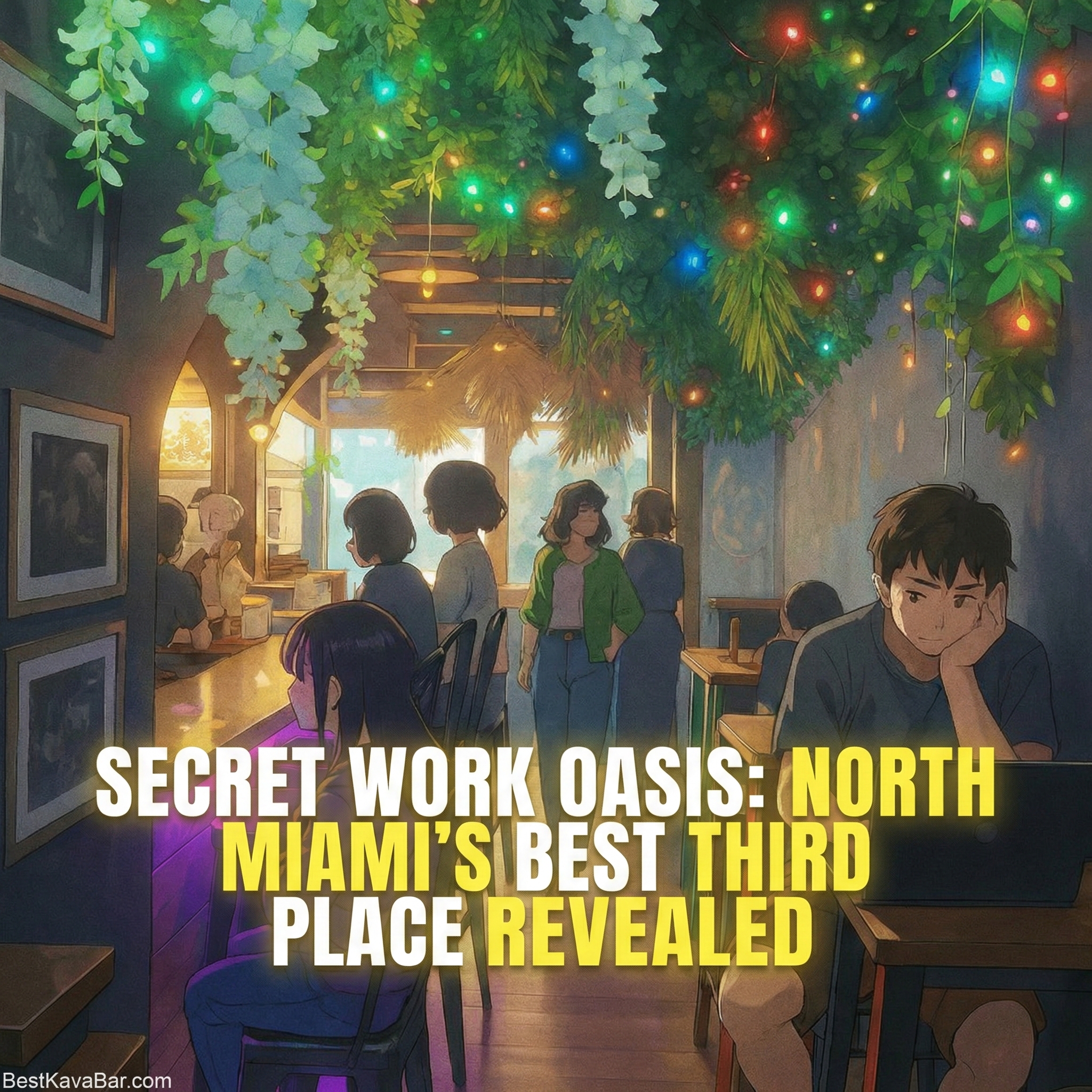
Makana Kava Bar & Hawaiian Kitchen (aka Makana Kava Gastrobar) is widely described as a welcoming “third place” in North Miami; comfortable enough to hang out, but calm enough (at the right times) to get real work done.
If you’ve ever tried working from a café in Miami and felt like you were fighting the room; loud grinders, cramped tables, limited outlets, or a vibe that makes you feel rushed—this is the alternative many people end up looking for. Makana is set up more like a lounge than a coffee shop, and that changes everything: you can settle in, actually focus, and still feel like you’re in a real social space (not a silent library or a sterile coworking office).
It’s also a great option if your schedule isn’t “normal.” Makana runs late, which matters if you’re a night owl, you work non-traditional hours, you’re studying after work, or you just want a place to finish something without defaulting to alcohol-centered nightlife. The core experience is hospitality-first: you come in, get something you’re excited about, and the room supports you staying a while; as long as you’re respectful of the space and the people around you.
This guide is a practical, guest-friendly playbook for working from Makana: the best quiet hours, exactly how to log into Wi-Fi, where outlets are easiest to find, which seats make the most sense for laptop work, how to take calls without bothering anyone, and what to order so you feel good while supporting the business.
If you only take one thing from it, take this: Makana is a “work-to-night” space. Show up earlier for quiet focus, and be ready to transition into hangout mode as the energy ramps up after 5 PM.
Quick Info (Save This)
- Address: 12009 NW 7th Ave, North Miami, FL 33168
- Phone: (305) 239-5239
- Hours (baseline): 12:00 PM–2:00 AM daily
- Happy Hour (baseline): Mon–Fri 3:00 PM–6:00 PM and 11:00 PM–1:00 AM
The Short Answer
Yes, you can work from Makana—and it tends to work best when you:
- Come between 12:00 PM–5:00 PM for quiet focus
- Sit where power is easy (under the bar / wall behind the bar)
- Order early, tip like a long-stay guest, and keep calls outside
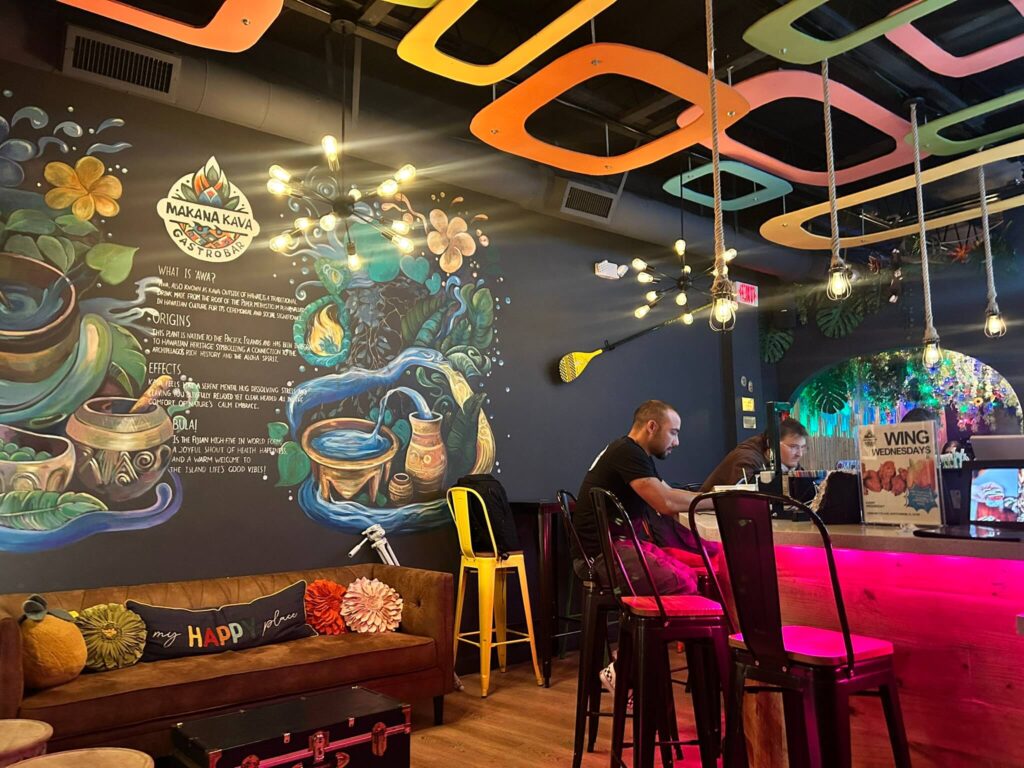
Work From Makana at a Glance
- Best for: remote work, studying, writing, quiet calls outside
- Quiet window: 12:00 PM–5:00 PM
- Busier window: after 5:00 PM
- Wi‑Fi: Makana Kana WIfi (password: MakanaKava)
- Outlets: plenty inside (best under the bar + wall behind the bar), fewer on patio/front
- Best “work combo”: kava shell + mocktail/frozen mocktail + food
The Simple Rule
If the room is quiet: work quietly.
If the room is turning social: wrap up, shift into “guest mode,” or come back earlier next time.
Wi‑Fi (Network + Password)
- Network: Makana Kana WIfi
- Password: MakanaKava
Why Makana Works for Remote Work
Many “work-friendly” places are technically open to laptops but not actually comfortable for staying. Makana gets described differently: a lounge-like third place with a welcoming vibe, real food, and the kind of environment where you can focus without feeling like you’re taking up space—especially earlier in the day.
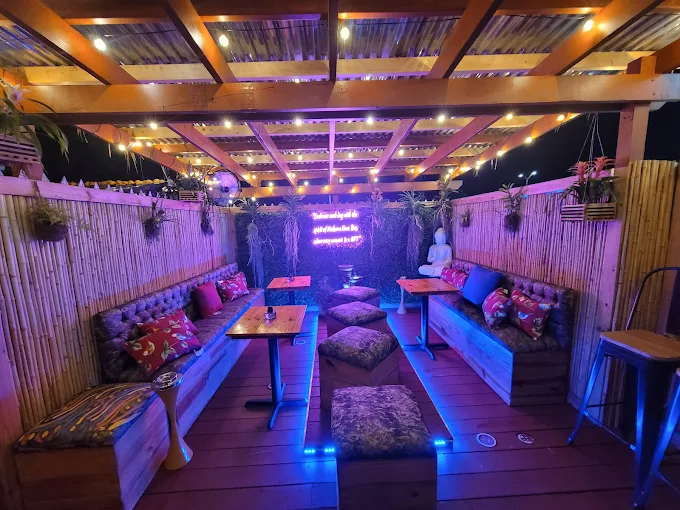
The core difference is pacing: it’s designed for lingering, not churning tables.
Best Times to Work From Makana
Because Makana functions as both a daytime lounge and an evening social space, the same room can feel totally different depending on the hour and the event schedule.
Best windows for focused work (quietest)
- 12:00 PM–5:00 PM
Busier times (more social energy)
- After 5:00 PM
If you want deep focus, plan for earlier. If you want a little background buzz, come later.
How to Choose Your “Work Mode”
Deep focus (writing, coding, studying)
- Aim for 12:00 PM–5:00 PM
- Choose a low-traffic seat
- Keep calls outside
Light work (email, planning, admin)
- Later can work, but expect more energy after 5
- Be ready to wrap up if seating gets tight
What the Room Feels Like (So You Don’t Guess Wrong)
Makana is a “work-to-night” space. Use this simple read:
- If most people are on laptops/reading: it’s work-friendly mode.
- If most people are socializing or arriving in groups: it’s hangout mode.
Nothing is “wrong” with either vibe. The etiquette is adjusting your footprint.
Outlets and Power
Outlets are available throughout the inside, with especially good access in two places:
- Under the bar
- Along the wall behind the bar
Outlet access is more limited on the back patio and front.
Where to Sit (So You’re Not in Anyone’s Way)
Best seats for laptop work (low impact)
- Smaller tables that don’t block group flow
- Wall-side or corner seating (lower foot traffic)
- Outdoor seating when weather is comfortable (but note: fewer outlets)
Seats to avoid during busy hours
- Large tables that could seat a group
- Central “hangout” areas meant for conversation
A good rule: if your setup takes space meant for 3–4 people, relocate when the room fills.
A “Seat Map” in Plain English
- Best power access: under the bar + wall behind the bar
- Best quiet focus: wall-side/corners (especially 12–5)
- Patio/front: great vibe, but fewer outlets
Calls, Meetings, and “Work Noise” Etiquette
Makana is work-friendly, but it’s still a hospitality space.
There are no special “no laptop” rules—just be considerate.
If you need to take calls
- Use headphones
- Keep your voice low
- Step outside for longer calls or meetings
If you have back-to-back calls, a coworking space is usually a better fit.
What “being considerate” looks like
- Don’t use speakerphone
- Don’t “broadcast” a meeting to the room
- Don’t take the biggest table for a laptop setup during peak hours
What to Order While You Work (And How to Pace)
The goal of a work session is stability, not intensity.
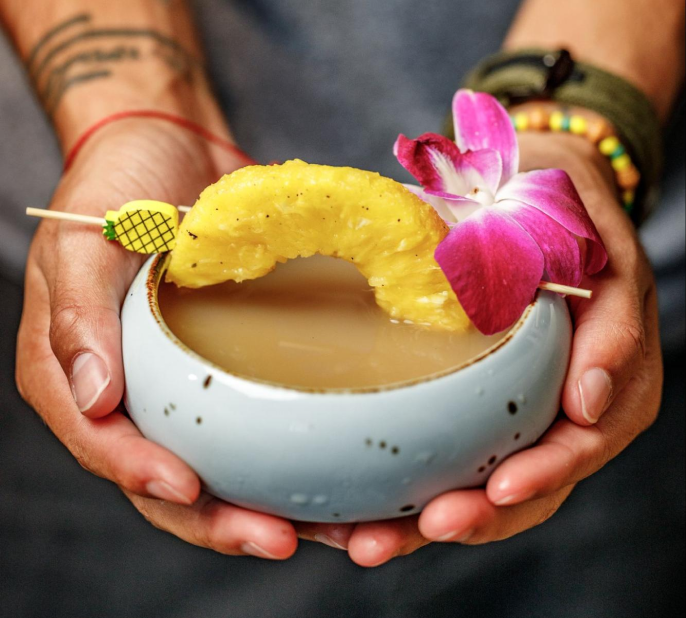
The best work-friendly combo at Makana
- One kava shell
- One mocktail (or frozen mocktail) of your choice
- Any food item (the menu is consistently praised)
If you want “safe picks” that guests mention often, look for favorites like fried rice and sliders, plus signature mocktails that show up repeatedly in guest feedback.
Example “work orders” (easy + popular)
- Option 1 (simple): one kava shell + fried rice
- Option 2 (balanced): one mocktail + sliders
- Option 3 (snackable): one mocktail + empanadas
If you want a “default” order (no decisions)
- Round 1: one mocktail or frozen mocktail
- Food: choose any entrée you’re excited about (the kitchen is frequently praised)
- Round 2 (optional): one kava shell after you reassess
A good “work session” pacing pattern
- Start with one drink
- Order food if you’ll be there a while
- Add a second drink only after you reassess
Pacing rule
- One drink, then wait
- Hydrate
- Avoid stacking multiple rounds quickly
Makana is known for both drinks and food, so ordering food is a normal part of staying longer.
How Long to Stay
Typical productive visit
- 60–120 minutes
Longer stays
Longer stays can be fine when the room is quiet and you continue ordering appropriately. If the vibe shifts social, it’s polite to wrap up.
When to Switch From “Work Mode” to “Guest Mode”
If any of these happen, it’s time to wrap up (or shift into hangout mode):
- It’s after 5 to 6 PM and the bar is filling up
- Groups are waiting for seats
- The energy becomes event/social-first
Simple move: finish your task, close the laptop, and enjoy the space.
If You’re New, Here’s What to Say
If you want a smooth first experience while working:
I’m going to do some quiet work—what’s a good spot to sit today, and what do you recommend as a beginner-friendly drink?
A Quick “First Visit” Checklist (So You Don’t Overthink It)
- Arrive between 12:00 PM–5:00 PM
- Grab a low-impact seat (walls/corners)
- Connect to Wi‑Fi, plug in if needed
- Order early: drink + food
- Work for 60–120 minutes
- Tip like a long-stay guest
- If it gets busy after 5: wrap up or switch to hangout mode
Quick Checklist (Work-Friendly Makana Visit)
- Bring headphones
- Choose a low-impact seat
- Order promptly (food is a great “anchor”)
- Keep calls outside when possible
- Tip like someone who’s staying longer than average
- When it gets busy: wrap up or switch into social mode
- Keep your shoes on (seriously)
Troubleshooting (Common Situations)
“I can’t find an outlet”
Try:
- Under the bar
- Along the wall behind the bar
- Asking the Kavatender
If you’re on the patio/front, expect fewer outlet options.
“It’s getting loud”
That usually means it’s past 5 PM or the vibe is shifting social. If you need deep focus, wrap up and come back earlier.
“I need to take a meeting”
Use headphones and step outside for longer calls. This keeps the room calm for everyone.
“Is it okay to stay for hours?”
If it’s quiet and you’re ordering like a real guest (drink + food, and tipping appropriately), longer stays are usually fine. If it’s packed, wrap up and free up space.
Makana FAQs
What are Makana’s quiet hours for working?
12:00 PM–5:00 PM is typically the calmest window for laptop work.
What’s Makana’s Wi‑Fi network and password?
Network: Makana Kana WIfi. Password: MakanaKava.
Are there outlets for laptops?
Yes—outlets are available throughout the inside, with plenty under the bar and along the wall behind the bar.
Is Makana okay with laptops?
Yes. There are no special “no laptop” rules—just be considerate when it gets busy.
What’s the best place to sit if I need an outlet?
Inside seating has outlets throughout, with especially good access under the bar and along the wall behind the bar. Patio/front outlet access is more limited.